The image is saved at outputs/Qwen_image_2.1_00002.png. It is 3:2 landscape and took about 175 seconds. The seed was 895035350286699.
Prompt used: I expanded your idea into one English paragraph. It keeps your details exactly: a red vintage bicycle, an old brick wall, late-afternoon light, a quiet small-town European street, photographic style, landscape, and no text. I added these details myself, because you left them open:
- Cobblestones.
- A step-through frame, curved handlebars and a leather saddle.
- The bicycle placed slightly left of center.
- Side light with long shadows.
- Shallow depth of field.
Workflow changes: I changed only three values.
- The prompt text in node
459:474.on_false. The workflow's prompt-rewriting switch is off, so this is the text that reaches the model. I left the switch off. - A random seed in the KSampler.
- The aspect ratio, set to "3:2 (Photo)". Your workflow has no plain "landscape" choice. I picked 3:2 over 16:9 because it suits a photographic look.
The model, steps, sampler and everything else are as in your file.
Does it match? Yes, closely, from looking at the picture.
- Bicycle: A red vintage step-through bicycle leans against a brick wall. It has a brown leather saddle, curved handlebars and spoked wheels. It reads as a vintage city bike.
- Wall and street: The wall is old, weathered brick with patches of ochre plaster. The street is narrow and cobbled, with old buildings with barred windows receding into a blurred background. It looks like a small European town, Italian in feel, and it is empty and quiet.
- Light: It is warm and golden, with side light raking across the bricks. It reads as late afternoon.
- Style: It looks like a photograph, with shallow depth of field and natural texture.
- Text: I see none.
Minor caveats:
- The bicycle is lit only softly, and the strongest light is on the wall behind it. The cobbles in front are fairly dark, so I don't see the long cast shadows I asked for.
- The bicycle's rear section and rack are slightly muddled, which is typical of AI-generated bicycles. It is fine at this size but may show up if you zoom in.
If you want stronger golden light on the bicycle itself or clearer cast shadows, I can add that to the prompt and run another seed.
Test run on my own ComfyUI 0.39.2 (macOS, Apple Silicon), with the Qwen Image 2.1 text-to-image workflow, prompt rewriting left off. The picture was generated for real in about 175 seconds and I looked at it myself: it matches the request, with softer light and fewer long shadows than asked and a slightly muddled rear of the bicycle. The image itself is not embedded here. An earlier attempt was cancelled by me part-way and is not counted. The tester's local server and models are needed to repeat it.
하는 일
'이미지가 필요해'라는 요청을 내 컴퓨터에서 돌아가는 ComfyUI가 만든 이미지로 바꿉니다. 먼저 서버(버전, 장치, 대기열)와 워크플로를 실행할 수 있는지 확인합니다. 워크플로가 쓰는 모든 노드 종류와 모든 모델 파일이나 선택지가 있어야 하며, 없으면 멈추고 무엇이 없는지 정확히 알려 주고 모델을 마음대로 바꾸지 않습니다. 그다음 워크플로에서 프롬프트, 시드, 크기가 있는 위치를 찾고, 짧은 아이디어를 반드시 들어가야 할 글자, 개수, 색 같은 고정 사항을 지킨 분명한 프롬프트로 확장하고, 드라이 런으로 모든 것을 검증한 뒤 작업을 제출하고, 기다렸다가 ComfyUI가 만든 이미지를 저장하고, 결과를 직접 보고 맞는 점과 다른 점을 알려 줍니다. 모델과 스타일은 사용자가 준 워크플로에서 나옵니다.
결과물
지정한 폴더의 이미지 파일, 사용한 프롬프트와 시드, 워크플로에서 바꾼 값, 이미지에 대한 솔직한 확인.
시작하기 전에
- ComfyUI가 이미 실행 중이어야 하고, 워크플로가 API 형식으로 저장되어 있어야 합니다.
- 워크플로가 쓰는 모든 모델 파일(메인 모델, 텍스트 인코더, VAE, 사용하는 LoRA)을 먼저 내려받아 ComfyUI의 알맞은 모델 폴더에 넣어 두세요. 이 Skill은 파일이 있는지만 확인하고 없으면 멈추며, 아무것도 내려받지 않습니다.
- 최신 모델은 최신 ComfyUI에만 있는 노드를 쓸 수 있습니다. 확인에서 노드가 없다고 나오면 먼저 ComfyUI를 업데이트하세요.
테스트 환경
macOS 15.3, Apple M4 Max, 통합 메모리 64GB(MPS 장치)의 ComfyUI 0.39.2. 워크플로: Qwen Image 2.1 텍스트-이미지, 자체 프롬프트 재작성은 끔. 모델: qwen_image_2.1_int8_convrot(메인 모델), qwen3vl_8b_int8_convrot(텍스트 인코더), qwen_image_2.1_vae_bf16(VAE). 3:2 이미지 한 장에 약 175초. 다른 워크플로는 시험하지 않았습니다.
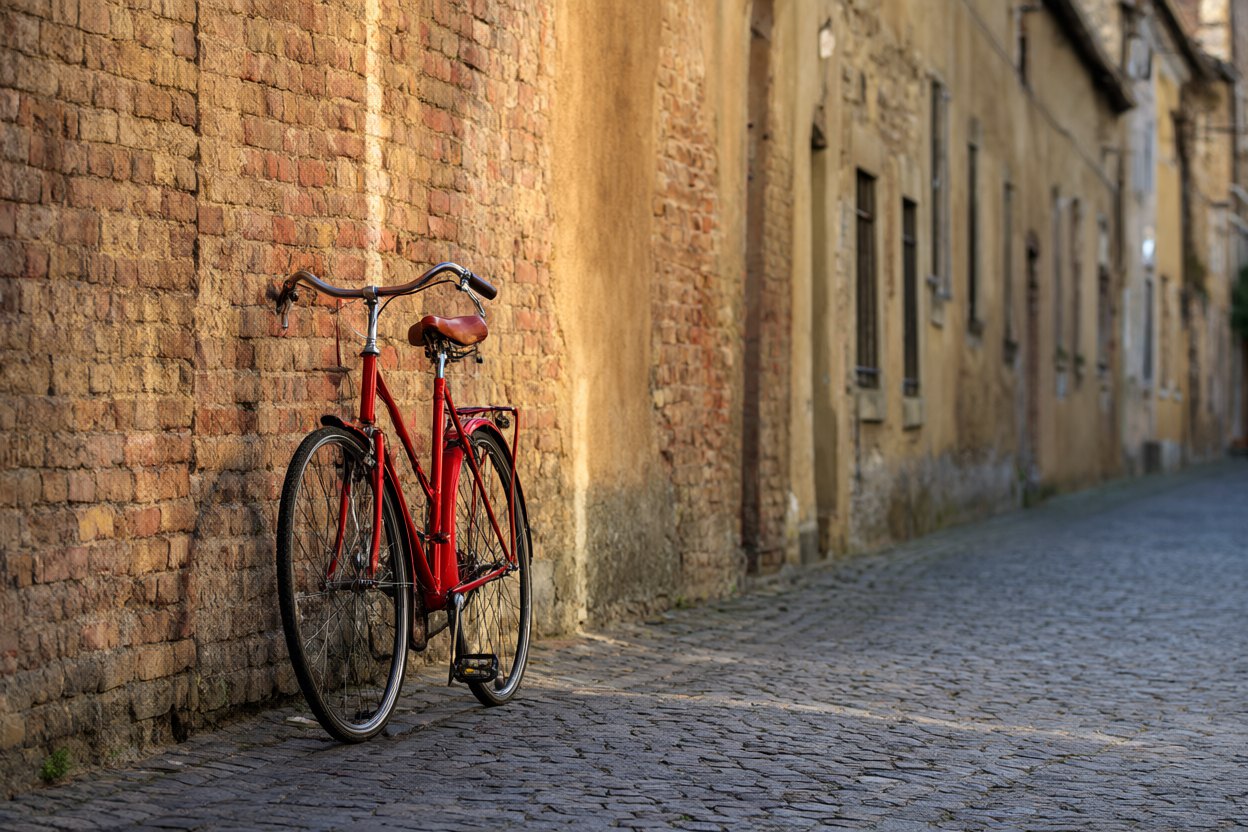
테스트에서 만든 이미지: Qwen Image 2.1, 3:2, 25스텝, 시드 895035350286699, 약 175초. 아래 프롬프트는 한 줄 요청을 바탕으로 에이전트가 쓴 것이며, 이미지는 생성된 그대로 보정하지 않았습니다.
A photograph of a red vintage bicycle leaning against an old, weathered brick wall on a quiet cobblestone street in a small European town. The bicycle stands slightly left of center, filling about a third of the frame, with a classic step-through frame, curved handlebars and a leather saddle. Low late-afternoon sun comes from the side, casting warm golden light and long soft shadows across the bricks and cobbles; the muted ochre and terracotta wall contrasts with the saturated red of the bicycle. Empty street with softly blurred old buildings in the background. Natural documentary photography, shallow depth of field, landscape composition, no text, no signs, no lettering.
이런 때 좋습니다
이미 ComfyUI를 쓰고 있으며 에이전트가 프롬프트를 쓰고, 워크플로를 실행하고, 결과를 보고해 주기를 원하는 사람. ComfyUI가 실행 중이어야 하고 API 형식으로 저장한 워크플로가 필요합니다.
중간 위험:본인의 ComfyUI가 필요합니다. 표준 라이브러리만 쓰는 Python 스크립트가 하나 있으며 127.0.0.1의 ComfyUI와 통신하고, 허용하지 않으면 다른 주소는 거부합니다. ComfyUI에는 로그인이 없으니 네트워크에 노출하지 마세요. 서버를 켜거나 끄지 않고, 노드를 설치하거나 모델을 내려받지 않으며, 이미지 파일만 출력 폴더에 씁니다. 작업 한 번에 GPU와 메모리를 몇 분 씁니다. macOS에서 Qwen Image 2.1로 실제 시험했고 약 175초 만에 요청에 맞는 이미지 한 장이 나왔으며, 이미지 자체는 데모에 넣지 않았습니다. 워크플로에 필요한 모든 모델을 먼저 내려받으세요. Skill은 확인만 하고 내려받지 않습니다. ComfyUI 0.39.2와 Qwen Image 2.1 워크플로로만 시험했습니다. AIBars 제작(MIT).