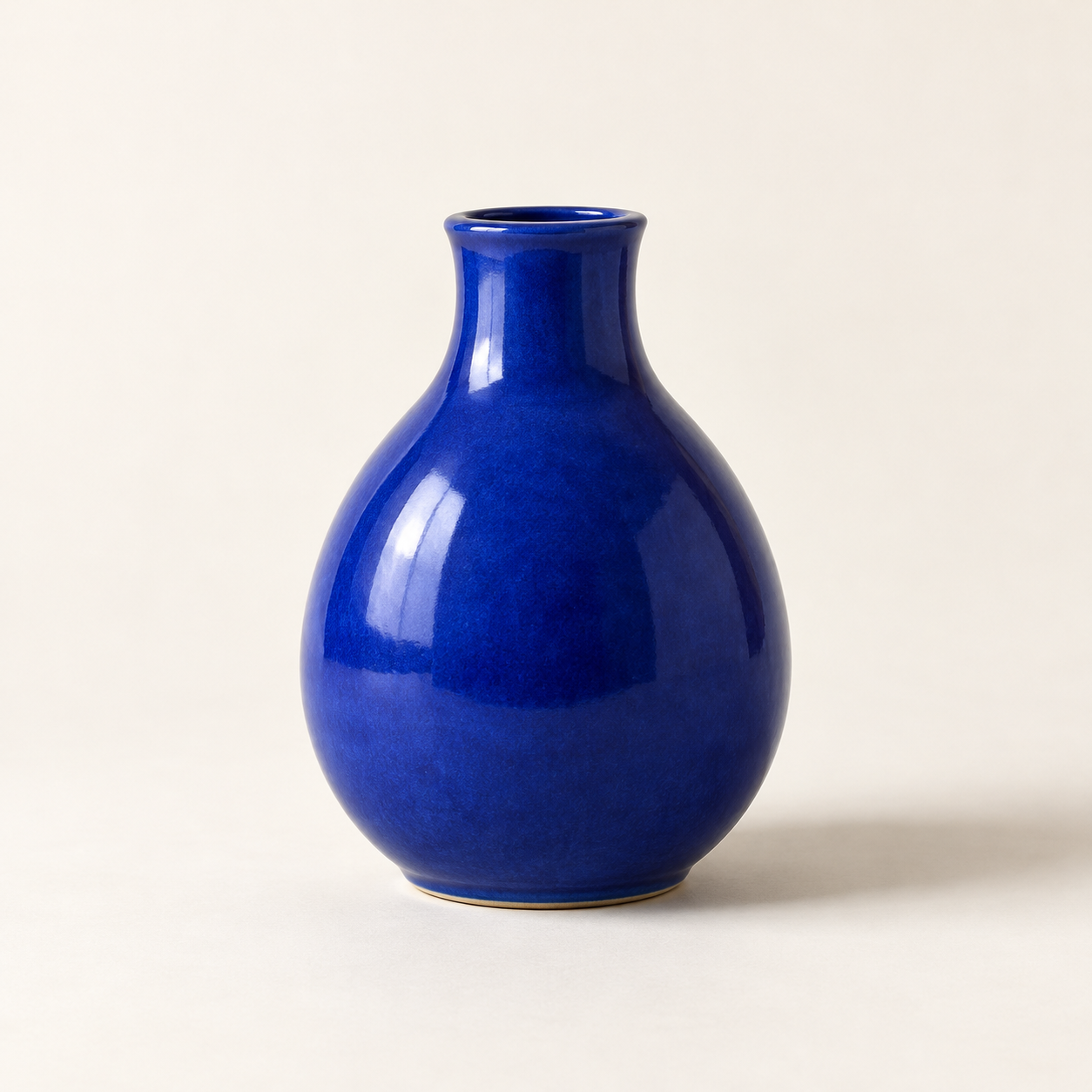
Generated with the built-in image tool, saved and inspected. The image matches the requested vase, composition, lighting, and background.
Saved copy: output/imagegen/vase-original.png

Submitted prompt:
Generate one square photorealistic studio product photograph of a small cobalt-blue ceramic vase. The vase has a rounded pear-shaped body, a narrow short neck, glossy glaze, no handle, no decoration, no logo and no text. Show the whole vase centered on a warm off-white seamless surface and background, with generous space around it. Straight-on camera. Diffused light from the upper left creates realistic glossy highlights and a soft shadow to the right. No other objects, no watermark.
Saved the built-in image-to-image edit to output/imagegen/vase-sage-edited.png. Original preserved.

Inspected result: sage-green background and surface, matching vase silhouette and framing, upper-left highlights, and soft rightward shadow. Visible drift: the glaze texture looks slightly coarser and the shadow somewhat darker.
Exact prompt:
Edit the supplied source photograph (edit target: vase-original.png). Replace ONLY the off-white studio background and tabletop with a pale sage-green seamless studio background and surface. Preserve the SAME cobalt-blue ceramic vase exactly as in the source: its silhouette, shape, proportions, rim and opening, glossy glaze texture and reflections, blue color, position, scale, framing, and camera angle. Preserve the upper-left lighting and a natural soft shadow falling to the right on the sage-green surface. Maintain the square composition and photorealistic product photography. Do not redesign or replace the vase. No plants, no extra objects, no logo, no text.
Two actual Codex CLI runs: text-to-image, then editing that output with an attached source image. Agent outputs are reproduced verbatim. The image model ID was not reported. Images are hosted on R2 and shown in the detailed description. No API script or separate API key was used.
Crea una imagen nueva a partir de una descripción o aplica un cambio concreto a una imagen seleccionada. La Skill estructura el prompt, identifica los detalles que deben conservarse, invoca la herramienta de imágenes integrada, revisa el resultado y guarda un archivo aparte.
Usa Codex CLI con una sesión iniciada y generación de imágenes integrada disponible. El acceso y los límites dependen de tu cliente y cuenta. La Skill no añade una herramienta de imágenes si falta. No necesita la CLI de OpenAI, scripts de API ni una clave API configurada por separado.
Uso
codex 'Use $codex-image-studio to generate a blue ceramic vase on an off-white studio background.'
codex --image ./vase-original.png 'Use $codex-image-studio to change only the background to pale sage green. Preserve the vase and save a new file.'
Demostración real con la CLI
Entorno de prueba: Codex CLI 0.166.0, modelo de orquestación gpt-6.1-sol. La herramienta no indicó el identificador del modelo de imágenes. Los dos resultados siguientes son imágenes reales, alojadas por separado en R2 y excluidas del zip de la Skill.
1. De texto a imagen
Generate one square photorealistic studio product photograph of a small cobalt-blue ceramic vase. The vase has a rounded pear-shaped body, a narrow short neck, glossy glaze, no handle, no decoration, no logo and no text. Show the whole vase centered on a warm off-white seamless surface and background, with generous space around it. Straight-on camera. Diffused light from the upper left creates realistic glossy highlights and a soft shadow to the right. No other objects, no watermark.
2. De imagen a imagen: cambiar el fondo
Edit the supplied source photograph (edit target: vase-original.png). Replace ONLY the off-white studio background and tabletop with a pale sage-green seamless studio background and surface. Preserve the SAME cobalt-blue ceramic vase exactly as in the source: its silhouette, shape, proportions, rim and opening, glossy glaze texture and reflections, blue color, position, scale, framing, and camera angle. Preserve the upper-left lighting and a natural soft shadow falling to the right on the sage-green surface. Maintain the square composition and photorealistic product photography. Do not redesign or replace the vase. No plants, no extra objects, no logo, no text.
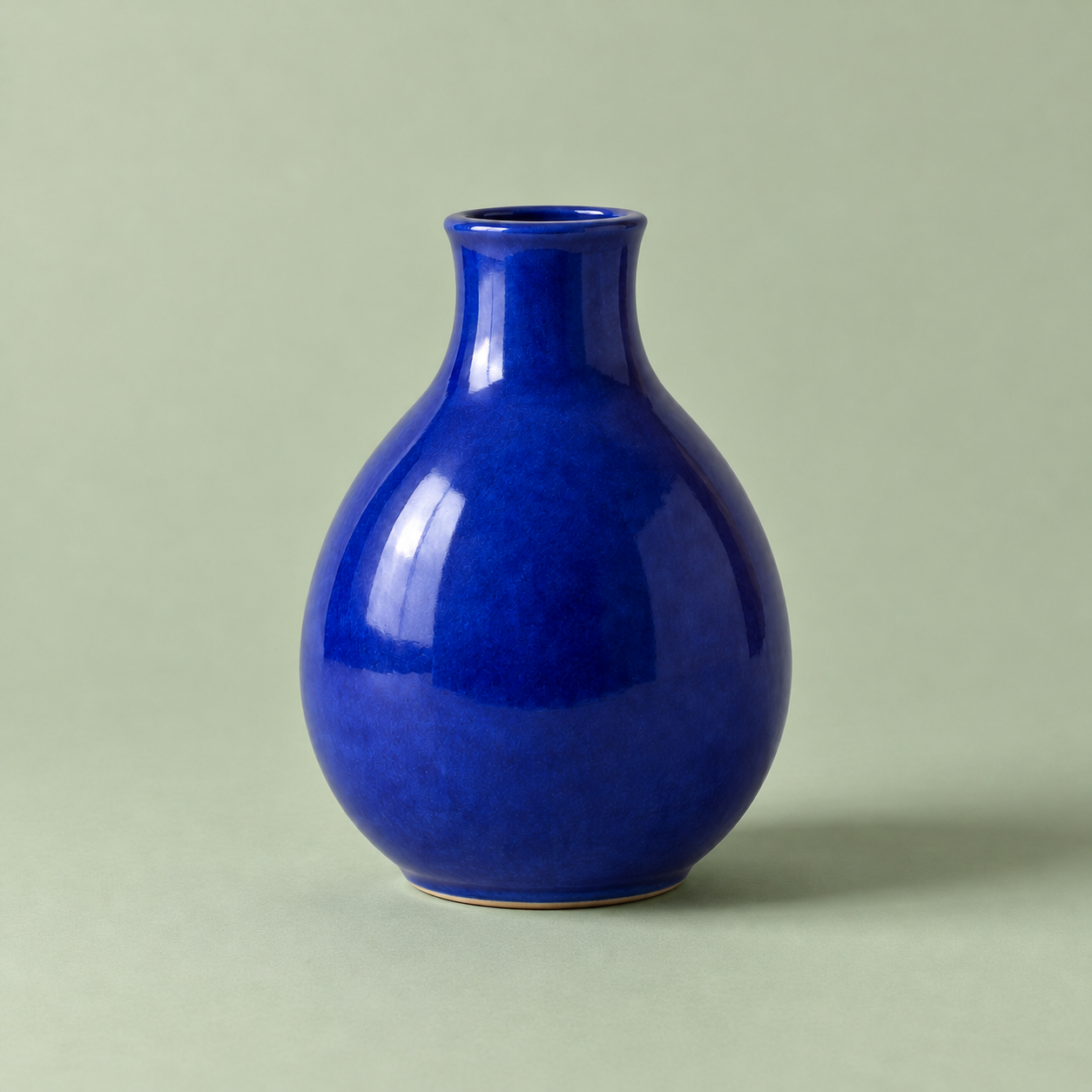
La primera imagen se generó a partir de texto. La segunda se editó desde esa misma imagen. El fondo cambió a verde salvia como se pidió y la silueta y el encuadre del jarrón siguen siendo similares. La textura del esmalte quedó algo más rugosa y la sombra más oscura, por lo que la conservación no es exacta píxel a píxel.
Riesgo medio: usa el servicio de imágenes de la sesión iniciada en Codex, envía el prompt y la imagen de referencia seleccionados para generar o editar y escribe nuevos archivos de imagen. Se aplican las condiciones de acceso y límites de uso de la cuenta. No requiere scripts ejecutables incluidos ni una clave API aparte. Las instrucciones conservan los originales. Se completaron una ejecución de texto a imagen y otra de imagen a imagen; no se probaron la conservación de identidad, el texto generado ni otras versiones del cliente.