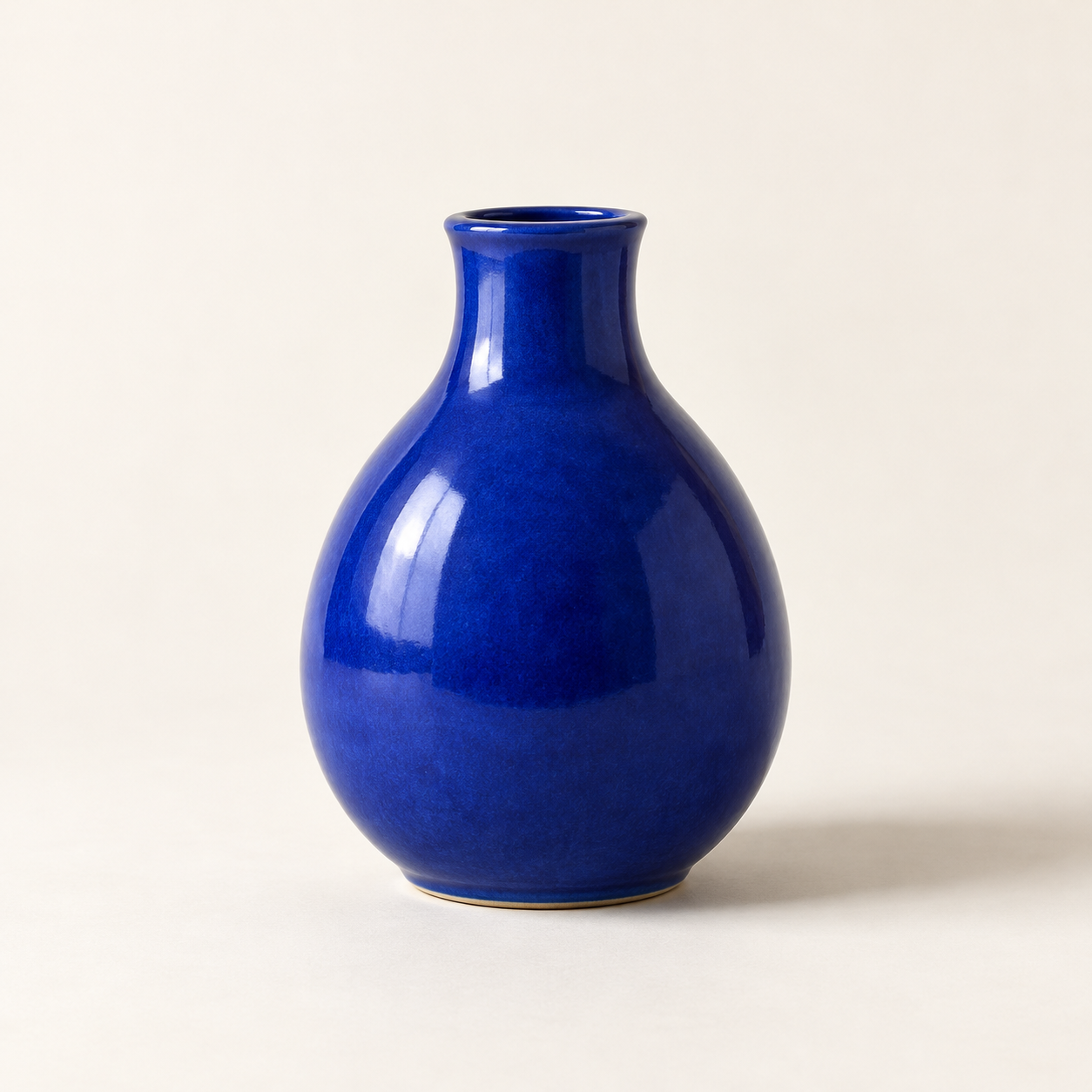
Generated with the built-in image tool, saved and inspected. The image matches the requested vase, composition, lighting, and background.
Saved copy: output/imagegen/vase-original.png

Submitted prompt:
Generate one square photorealistic studio product photograph of a small cobalt-blue ceramic vase. The vase has a rounded pear-shaped body, a narrow short neck, glossy glaze, no handle, no decoration, no logo and no text. Show the whole vase centered on a warm off-white seamless surface and background, with generous space around it. Straight-on camera. Diffused light from the upper left creates realistic glossy highlights and a soft shadow to the right. No other objects, no watermark.
Saved the built-in image-to-image edit to output/imagegen/vase-sage-edited.png. Original preserved.

Inspected result: sage-green background and surface, matching vase silhouette and framing, upper-left highlights, and soft rightward shadow. Visible drift: the glaze texture looks slightly coarser and the shadow somewhat darker.
Exact prompt:
Edit the supplied source photograph (edit target: vase-original.png). Replace ONLY the off-white studio background and tabletop with a pale sage-green seamless studio background and surface. Preserve the SAME cobalt-blue ceramic vase exactly as in the source: its silhouette, shape, proportions, rim and opening, glossy glaze texture and reflections, blue color, position, scale, framing, and camera angle. Preserve the upper-left lighting and a natural soft shadow falling to the right on the sage-green surface. Maintain the square composition and photorealistic product photography. Do not redesign or replace the vase. No plants, no extra objects, no logo, no text.
Two actual Codex CLI runs: text-to-image, then editing that output with an attached source image. Agent outputs are reproduced verbatim. The image model ID was not reported. Images are hosted on R2 and shown in the detailed description. No API script or separate API key was used.
根据描述生成新图,或对指定原图做定向修改。Skill 会整理提示词、明确需要保留的细节、调用内置出图工具、检查结果并另存新文件。
需要已登录且具备内置出图能力的 Codex CLI,使用权限和额度取决于客户端与账号。Skill 不会给缺少图片工具的客户端增加出图能力。无需安装 OpenAI CLI、调用 API 脚本或单独配置 API Key。
使用方法
codex 'Use $codex-image-studio to generate a blue ceramic vase on an off-white studio background.'
codex --image ./vase-original.png 'Use $codex-image-studio to change only the background to pale sage green. Preserve the vase and save a new file.'
Codex CLI 真实演示
实测环境:Codex CLI 0.166.0,编排模型 gpt-6.1-sol。工具没有报告图片模型标识,未作猜测。下方两张均为真实产物,单独存放在 R2,不打包进 Skill。
1. 文生图
Generate one square photorealistic studio product photograph of a small cobalt-blue ceramic vase. The vase has a rounded pear-shaped body, a narrow short neck, glossy glaze, no handle, no decoration, no logo and no text. Show the whole vase centered on a warm off-white seamless surface and background, with generous space around it. Straight-on camera. Diffused light from the upper left creates realistic glossy highlights and a soft shadow to the right. No other objects, no watermark.
2. 图生图:替换背景
Edit the supplied source photograph (edit target: vase-original.png). Replace ONLY the off-white studio background and tabletop with a pale sage-green seamless studio background and surface. Preserve the SAME cobalt-blue ceramic vase exactly as in the source: its silhouette, shape, proportions, rim and opening, glossy glaze texture and reflections, blue color, position, scale, framing, and camera angle. Preserve the upper-left lighting and a natural soft shadow falling to the right on the sage-green surface. Maintain the square composition and photorealistic product photography. Do not redesign or replace the vase. No plants, no extra objects, no logo, no text.
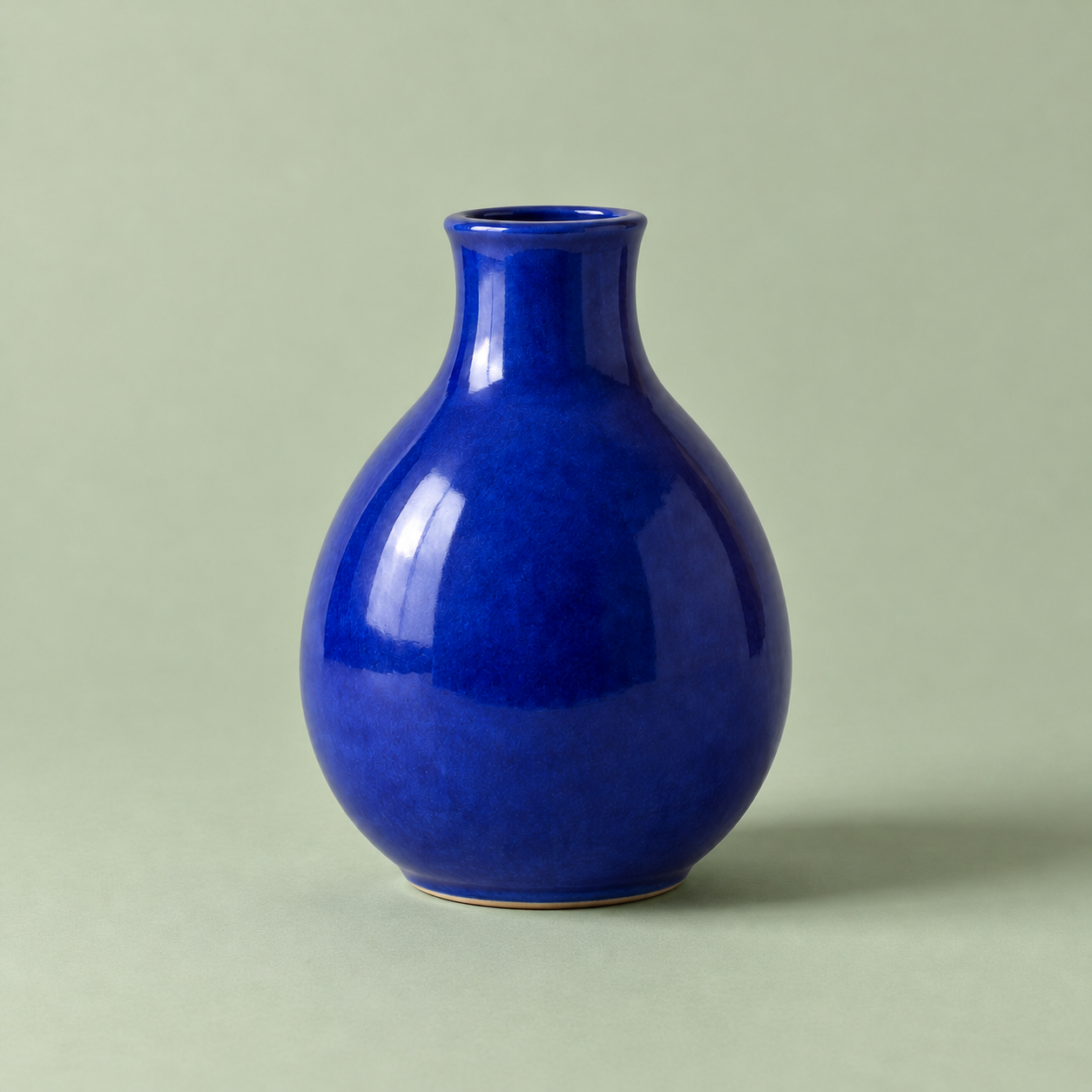
第一张图由文字生成,第二张直接以第一张为输入进行编辑。浅绿色背景按要求完成,花瓶轮廓和构图基本保留;釉面纹理略粗、阴影略深,因此不能承诺像素级不变。
中风险:使用已登录的 Codex 图片服务,发送选定的提示词和参考图进行生成或编辑,并写入新图片文件。受账号权限和使用额度限制。不含可执行脚本,无需另配 API Key;指令要求保留原图。已真实完成一次文生图和一次图生图;人物一致性、文字渲染及其他客户端版本未测试。