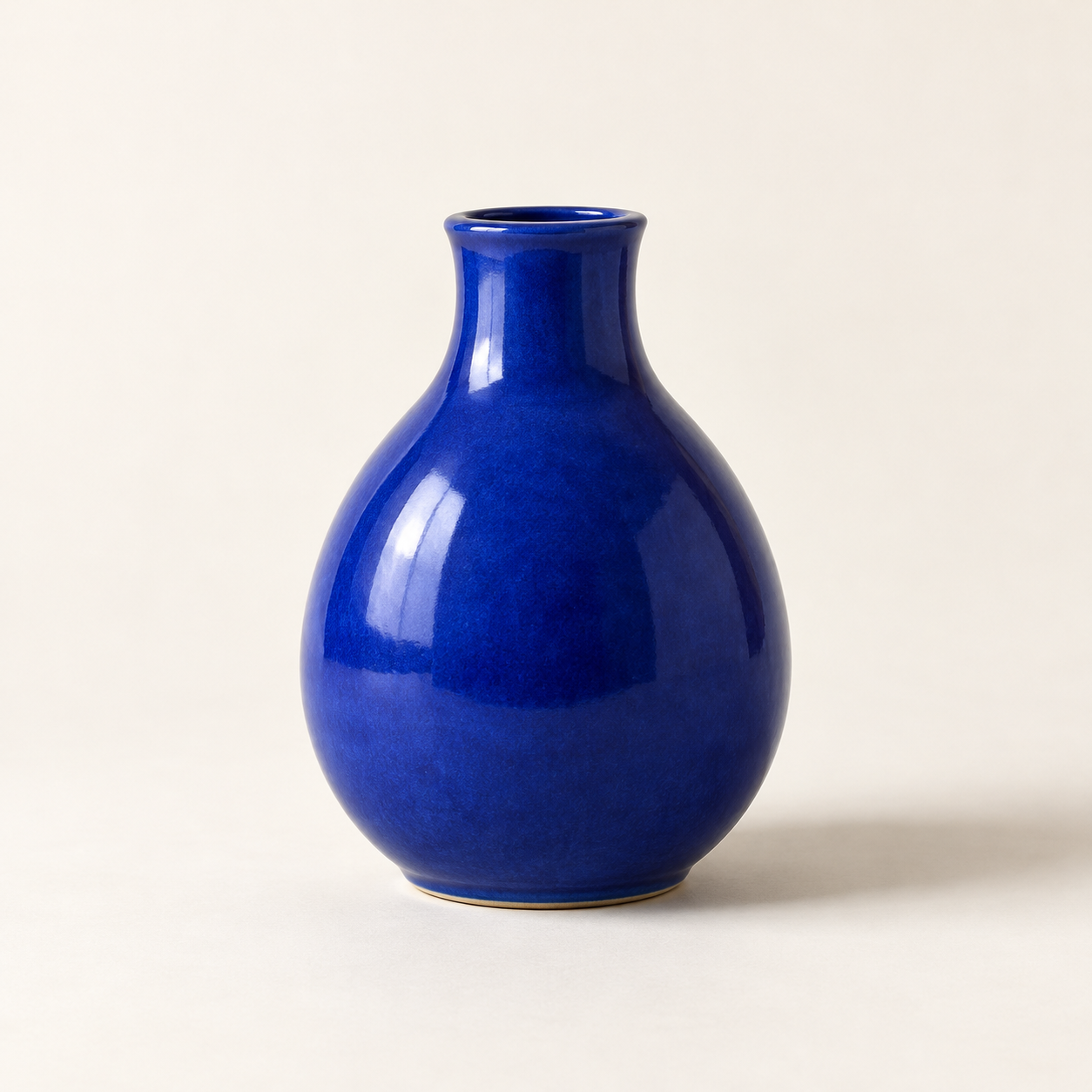
Generated with the built-in image tool, saved and inspected. The image matches the requested vase, composition, lighting, and background.
Saved copy: output/imagegen/vase-original.png

Submitted prompt:
Generate one square photorealistic studio product photograph of a small cobalt-blue ceramic vase. The vase has a rounded pear-shaped body, a narrow short neck, glossy glaze, no handle, no decoration, no logo and no text. Show the whole vase centered on a warm off-white seamless surface and background, with generous space around it. Straight-on camera. Diffused light from the upper left creates realistic glossy highlights and a soft shadow to the right. No other objects, no watermark.
Saved the built-in image-to-image edit to output/imagegen/vase-sage-edited.png. Original preserved.

Inspected result: sage-green background and surface, matching vase silhouette and framing, upper-left highlights, and soft rightward shadow. Visible drift: the glaze texture looks slightly coarser and the shadow somewhat darker.
Exact prompt:
Edit the supplied source photograph (edit target: vase-original.png). Replace ONLY the off-white studio background and tabletop with a pale sage-green seamless studio background and surface. Preserve the SAME cobalt-blue ceramic vase exactly as in the source: its silhouette, shape, proportions, rim and opening, glossy glaze texture and reflections, blue color, position, scale, framing, and camera angle. Preserve the upper-left lighting and a natural soft shadow falling to the right on the sage-green surface. Maintain the square composition and photorealistic product photography. Do not redesign or replace the vase. No plants, no extra objects, no logo, no text.
Two actual Codex CLI runs: text-to-image, then editing that output with an attached source image. Agent outputs are reproduced verbatim. The image model ID was not reported. Images are hosted on R2 and shown in the detailed description. No API script or separate API key was used.
Create a new image from a description, or make a targeted edit to a selected source image. The Skill structures the prompt, identifies details to preserve, calls the built-in image tool, inspects the result, and saves a separate output.
Use a signed-in Codex CLI with built-in image generation available. Access and limits depend on your client and account. The Skill does not add a missing image tool. No OpenAI CLI, API script, or separately configured API key is required.
Usage
codex 'Use $codex-image-studio to generate a blue ceramic vase on an off-white studio background.'
codex --image ./vase-original.png 'Use $codex-image-studio to change only the background to pale sage green. Preserve the vase and save a new file.'
Real CLI demonstration
Trial environment: Codex CLI 0.166.0, orchestration model gpt-6.1-sol. The tool did not report its image model ID. Both outputs below are real images, hosted separately on R2 and excluded from the Skill zip.
1. Text to image
Generate one square photorealistic studio product photograph of a small cobalt-blue ceramic vase. The vase has a rounded pear-shaped body, a narrow short neck, glossy glaze, no handle, no decoration, no logo and no text. Show the whole vase centered on a warm off-white seamless surface and background, with generous space around it. Straight-on camera. Diffused light from the upper left creates realistic glossy highlights and a soft shadow to the right. No other objects, no watermark.
2. Image to image: change the background
Edit the supplied source photograph (edit target: vase-original.png). Replace ONLY the off-white studio background and tabletop with a pale sage-green seamless studio background and surface. Preserve the SAME cobalt-blue ceramic vase exactly as in the source: its silhouette, shape, proportions, rim and opening, glossy glaze texture and reflections, blue color, position, scale, framing, and camera angle. Preserve the upper-left lighting and a natural soft shadow falling to the right on the sage-green surface. Maintain the square composition and photorealistic product photography. Do not redesign or replace the vase. No plants, no extra objects, no logo, no text.
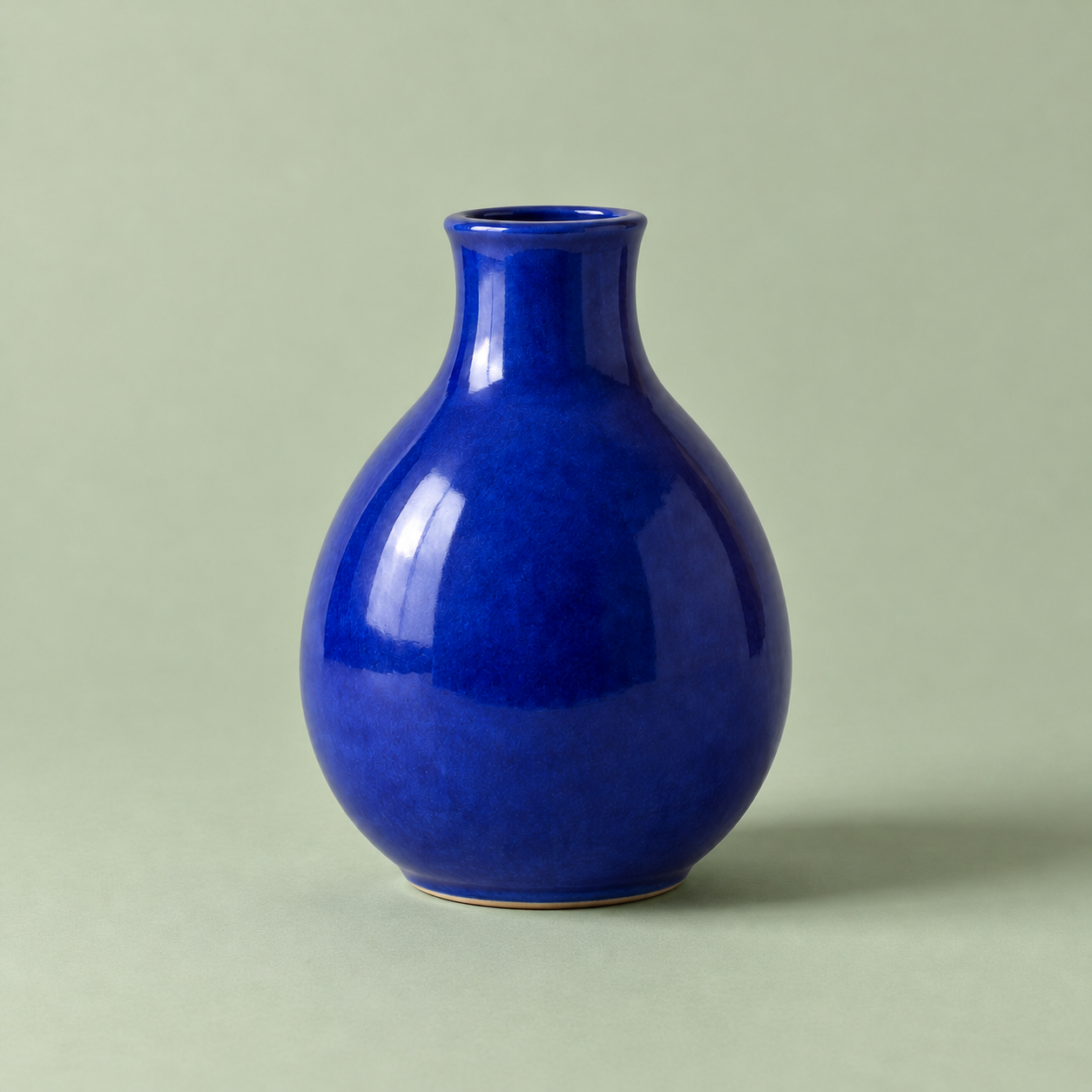
The first image was generated from text. The second was edited from that exact source. The sage-green backdrop changed as requested and the vase silhouette and framing remain similar. The glaze texture became slightly coarser and the shadow darker, so preservation is not pixel-perfect.
Medium risk: uses the signed-in Codex image service, sends the selected prompt and reference image for generation or editing, and writes new image files. Account access and usage limits apply. No bundled executable scripts or separate API key are required. Instructions preserve originals. One text-to-image and one image-to-image run were actually completed; identity, text rendering, and other client versions were not tested.